
Want to put together a new gaming PC? Great idea! It’s not as hard as it might sound. Many people think it’s something for absolute tech freaks, but that’s not true. With a few simple tips and the right tools, you can easily build your dream PC yourself. Whether you’re on a small budget or want to go all out, we’ll show you how to get the most out of it so your gaming experience is top-notch.
Important Findings
- A self-built PC is often better than a pre-built system because you get exactly what you need.
- The PC configurator helps you find the right parts that fit together.
- Processor, graphics card, and RAM are the most important parts for a gaming PC.
- With the right case and power supply, your PC runs stably and looks good.
- You can also put together a good gaming PC with a smaller budget and upgrade later.
Your Gaming PC: How to Get Started Right
Why a Gaming PC and Not a Pre-Built System?
Okay, let’s be honest: a pre-built PC is tempting. Unpack, plug in, get started – easy, right? But hey, where’s the fun in that? And above all: Where’s the control? With a self-assembled gaming PC, you determine every detail. You choose the components that really suit your needs and don’t pay for unnecessary frills. You’ll also learn a lot about the technology inside your computer. And let’s be honest, the feeling when your self-built PC starts up for the first time is simply priceless!
What Makes a Good Gaming PC?
A good gaming PC is more than just expensive hardware. It’s about the right balance. Sure, a fat graphics card is important, but what good is it if the processor gives out? Or the RAM is too small? A good gaming PC is like an orchestra: all the instruments have to play together perfectly. Here are a few things to look out for:
- Powerful CPU: Your processor is the brain of your PC. It needs to be fast enough to handle all tasks.
- Fat graphics card: The graphics card is responsible for displaying the games. The better the card, the smoother and more detailed the gaming experience.
- Sufficient RAM: RAM is important for fast multitasking and smooth gaming. 16 GB is actually mandatory these days, but 32 GB doesn’t hurt either.
- Fast hard drive: An SSD (Solid State Drive) ensures short loading times and a responsive system. Ideally an NVMe SSD for maximum speed.
Remember: A good gaming PC is a compromise between performance, price, and your personal preferences. There is no one perfect configuration for everyone.
The Most Important Components at a Glance
Before you start buying wildly, let’s take a closer look at the most important components. That way you know what to look for:
- Processor (CPU): The heart of your PC. Brands like Intel and AMD are fighting for supremacy here. Pay attention to the number of cores and the clock rate.
- Motherboard: The base on which all other components sit. It is important that it fits the processor and offers enough connections.
- Graphics card (GPU): Your window into the gaming world. Nvidia and AMD are the top dogs. Pay attention to the storage capacity and performance.
- RAM: Ensures fast multitasking. The more, the better. Pay attention to the speed (MHz).
- Hard drive (SSD/HDD): This is where your games and data are stored. An SSD is mandatory for fast loading times. An additional HDD for large amounts of data can be useful.
- Power supply: Supplies all components with power. Pay attention to sufficient power and high efficiency.
- Case: Protects the components and ensures cooling. Choose a case that you like and that offers enough space.
- Cooling: Keeps the components cool and prevents overheating. Air cooling or water cooling are possible.
With this knowledge, you are well equipped to put together your dream PC. So what are you waiting for? Let’s get started!
The PC Configurator: Your Best Friend When Assembling a PC
Hey, you want to put together your own gaming PC? Great idea! But where do you start? Don’t worry, the PC configurator is your best buddy on this journey. It helps you keep track and make sure everything fits together. Imagine you have a personal assistant who knows about hardware – that’s the PC configurator!
Compatibility Without Headaches
Do you know that feeling when you buy a new part for your PC and then find out that it doesn’t work with the rest? Annoying, right? The PC configurator automatically checks whether all components fit together. You simply choose what you want and the configurator tells you if it fits. No stress, no nasty surprises. That really saves you time and nerves.
Easy to Use for Everyone
You don’t have to be a tech guru to use the PC configurator. The operation is super easy and intuitive. Everything is clearly structured and you are guided step by step through the process. CPU, graphics card, RAM – everything is easy to find and select. And if you get stuck, there are usually also help or FAQs.
Individual Customization Made Easy
Your PC, your rules! With the PC configurator, you can put together your computer according to your wishes. Do you want a fat water cooling system? No problem! Do you need extra storage space? Just do it! The configurator gives you the freedom to build your dream PC. And the best thing is: you can immediately see how your decisions affect the price. This way you always keep control of your budget.
The PC configurator is like a building kit for adults. You have all the parts at hand and can let your creativity run wild. And in the end there is a gaming PC that is exactly tailored to your needs.
The Basic Components: The Heart of Your Gaming PC
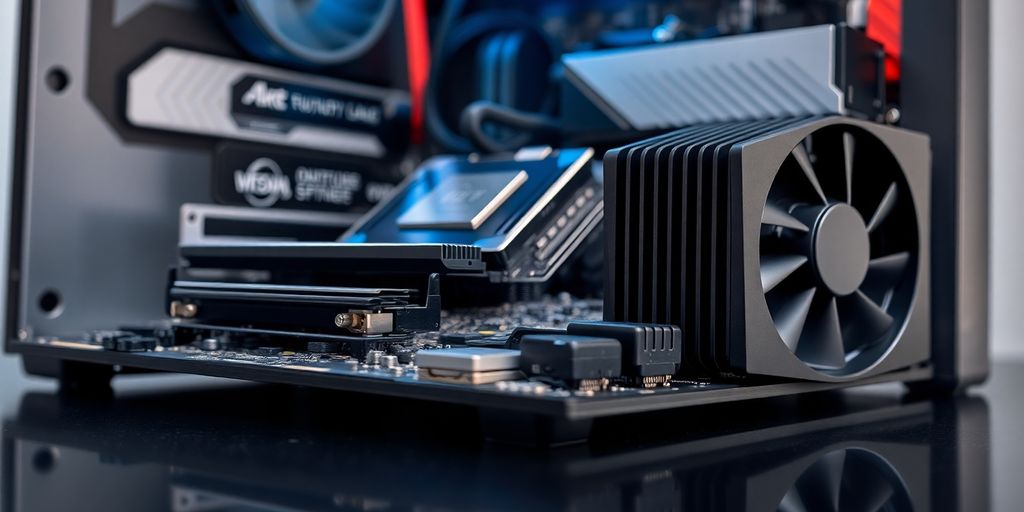
When you put together your own gaming computer, you quickly realize: Without the right base, even the most powerful graphics card is useless. Here you can see the three most important parts that make your system fit for any game.
Processor and Motherboard: The Dream Team
Your processor (CPU) is the brain, the motherboard is the connection center. If the socket and chipset do not match, nothing will start. Pay attention to this when buying:
- Matching socket (e.g. AM5, LGA1700)
- Supported RAM types and max. clock
- Variety of connections (PCIe version, M.2 slots)
Check the BIOS version of your motherboard before installation, otherwise there may be start problems with new CPUs.
| CPU category | Cores/Threads | Boost clock |
|---|---|---|
| Entry-level | 4/8 | 3.8 GHz |
| Mid-range | 6–8/12–16 | 4.2 GHz |
| High-end | 12–16/24–32 | 5.0 GHz+ |
Graphics Card: Your Window Into The Gaming World
The GPU takes care of textures, lighting effects and resolution. More VRAM often means better performance in high settings. Pay attention to:
- At least 6 GB VRAM for Full HD, 8 GB+ for WQHD
- Cooling solution (fan vs. water cooling)
- Power connections (6-Pin, 8-Pin)
RAM and Storage Space: Speed and Space
RAM and storage decide how quickly your system reacts and how many games you can install. Tips:
- Take RAM in dual-channel (2×8 GB instead of 1×16 GB).
- Rely on at least 16 GB, 32 GB for streaming or editing.
- Combine an SSD for the operating system with an HDD for large amounts of data.
| Type | Advantage | Disadvantage |
|---|---|---|
| SSD (NVMe) | Extremely fast access | More expensive per GB |
| HDD | Cheap per GB | Slower |
By the way, if you are planning to use your PC as a development machine later on, it is worth taking a look at programming languages for desktop.
Additional Extras For Your Perfect Setup
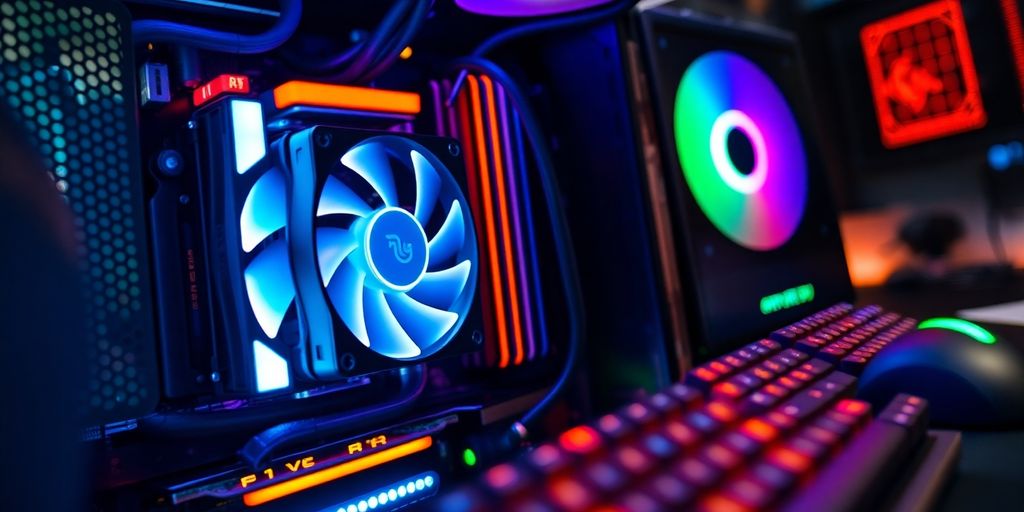
Sure, CPU and graphics card are super important, but it’s the little extras that make your gaming PC really perfect. This is about the finishing touches that make your setup go from “good” to “incredible.” Let’s take a look at what’s possible.
Case and Cooling: Style Meets Performance
Your case is more than just a shell. It’s the home of your components and a statement. Choose a case that not only looks good, but also allows for good air circulation. Also think about cooling! A good CPU cooler or even water cooling can work wonders, especially if you plan to overclock your processor. Here are a few things to keep in mind:
- Size: Does the case fit your components (motherboard, graphics card)?
- Airflow: Are there enough fan slots and are they well placed?
- Design: Do you like the look? Is there RGB lighting?
Power Supply: The Unsung Hero
The power supply is often underestimated, but it is the heart of your PC. It supplies all components with power. Don’t skimp here! A high-quality power supply protects your hardware and ensures stable operation. Pay attention to the following:
- Power: Is the power sufficient for all your components? It’s better to plan for some reserve.
- Efficiency: An efficient power supply saves power and produces less heat.
- Quality: Trust well-known brands and read test reports.
A good power supply is like insurance for your PC. It protects your expensive components from damage caused by overvoltage or power failures.
Operating System and Software: Get Started Immediately
Nothing works without an operating system. Windows is the classic, but Linux is also an option, especially if you know a little bit about it. Also think about the necessary drivers and software so that your hardware works optimally. You can also pre-install an operating system so that your PC is ready to use right after unpacking. Here is a small checklist:
- Operating system: Windows, Linux or something else?
- Drivers: Are all drivers for your hardware available?
- Software: Do you need special software for your games or other applications?
Keep an Eye on Your Budget: Gaming Power for Every Wallet
Sure, a high-end gaming PC with all the bells and whistles is tempting, but is it really necessary? Absolutely not! We’ll show you how to get the most out of your budget without sacrificing performance. It’s about being clever and making the right decisions. Remember: Gaming fun doesn’t have to be expensive!
Transparent Pricing From the Start
With us, there are no hidden costs or nasty surprises. You can see from the start what each component costs and how it affects the total price. This way you always keep control and can use your budget optimally. We’ll also show you where you can potentially save without immediately risking performance loss. This is super important if you want to build a gaming PC for under 1000 euros.
Saving Without Loss of Performance
There are a few tricks you can use to save a lot of money without affecting your gaming experience. Here are a few ideas:
- Refurbished components: There are often good deals on used but refurbished parts. But pay attention to reputable providers with a guarantee!
- Pay attention to offers: Prices fluctuate constantly. Watch the market and strike when your desired product is on sale.
- Assemble components yourself: A pre-built PC may be convenient, but you often save money by building it yourself and can tailor the components exactly to your needs.
Remember: The most expensive component is not always the best. Inform yourself well and find the parts that offer the best value for money.
Upgrade Instead of Buying New: Your PC Grows With You
Instead of buying a completely new PC every few years, it is often more sensible to replace individual components. This way you can upgrade your PC gradually and always keep it up to date without breaking your budget. Maybe it’s enough to upgrade the graphics card or the RAM first. Here is a small table with typical upgrade scenarios:
| Upgrade | Reason | Effect |
|---|---|---|
| Graphics card | Better graphics, higher resolution | Smoother display in demanding games |
| RAM | More RAM | Faster loading times, better multitasking |
| SSD | Faster hard drive | Significantly faster system and program starts |
| Processor | More computing power | Better performance in CPU-intensive games and applications |
Service and Support: We Won’t Leave You Alone
Sure, putting together your own gaming PC is super exciting, but sometimes it just doesn’t work. Don’t worry, we won’t leave you out in the rain! We offer you various services and support options so that your PC dream comes true smoothly.
Professional Assembly: Plug and Play
Don’t feel like cable clutter and fiddly installations? Then let us do it! Our professional assembly takes all the work off your hands. Your PC is assembled by expert hands so that you can start gaming right after unpacking it. We also install the operating system and all the necessary drivers so that you can get started right away. Imagine ordering your dream PC and it arrives finished, tested and ready to play – simply brilliant, right?
Performance Tests: Your PC Put Through Its Paces
Want to make sure your new PC really delivers what it promises? Then treat it to a performance test! We put your system through its paces to ensure that everything runs stably and the performance is right. This way you can sit back and relax and know that your PC won’t give out even under full load.
Support for Questions: Your Personal Contact
Do you have questions about the configurator, individual components or the assembly? No problem! Our support team is at your side with advice and assistance. Whether by e-mail, phone or contact form – we are there for you and help you. We want you to be completely satisfied with your new gaming PC.
We understand that building a PC can sometimes be tricky. That’s why we offer you comprehensive support so that you can concentrate on the essentials: gaming!
And remember, we also offer individual component ordering if you want to upgrade your existing PC.
- Quick help with all questions
- Competent advice on components and configurations
- Personal contact for your individual needs
Conclusion: Your Dream PC is Already Waiting!
So, now you have a good overview of how to put together your own gaming PC. It’s really not rocket science, even if it might seem that way at first. It’s important that you think about what you really need and how much you want to spend. With the right information and a little patience, you’ll find exactly the parts that suit you. And remember: If you get stuck, there are always people who can help you. So what are you waiting for? Your perfect gaming PC is just a few clicks away!
Frequently Asked Questions
Why should I build a gaming PC myself instead of buying a pre-built one?
A gaming PC is great because you can build it exactly the way you need it. With a pre-built PC, you have to take what’s there, and that’s often more expensive for less performance. With your own PC, you can also replace individual parts later if you want something better.
How does the PC configurator help me with assembly?
It’s very simple: The PC configurator helps you find the right parts that fit together. You don’t have to check yourself whether the processor fits the motherboard – the program does that for you. This saves you a lot of trouble and time.
Which parts are most important for my gaming PC?
The most important parts are the processor (the brain), the motherboard (the control center), the graphics card (for the cool pictures in the game), the RAM (so that everything runs quickly) and the storage space (where your games and data are located). Nothing works without these!
Do I need anything else for my PC besides the main parts?
Sure! A chic case and good cooling ensure that your PC not only looks good, but also doesn’t get too hot. The power supply gives power to all parts, and you need an operating system like Windows so that the PC even starts and you can play.
Can I put together a gaming PC even with little money?
You can put together a PC for any budget. We always show you what everything costs so that you know exactly where your money is going. You can also choose cheaper parts that are still good, or simply replace individual parts later when you have more money.
Do I get help if I don’t want to assemble my PC myself or have questions?
Yes, of course! We can assemble and test your PC for you so that everything runs perfectly when it arrives. And if you have any questions or need help later, we are there for you.