

Looking for the best gaming PC? It’s not that easy, because the market is full of models that all promise to be the next big hit. We’ve battled through countless hours of gaming and benchmarks to show you which computer really delivers and gives you the best gaming experience. Whether you’re on a small budget or don’t want to compromise – this gaming PC test will help you make the right choice.
Key Takeaways
- The Medion Erazer Hunter X30 is our top pick because it simply delivers a great overall package.
- But there are also other good gaming PCs that can be an alternative depending on your needs.
- Before you buy, think carefully about what’s important to you: graphics card, processor, storage space and how easy it is to upgrade later.
- No matter how much money you want to spend, there’s a suitable gaming PC for every budget.
- We tested all PCs under real conditions so you know what to expect.
Our Favorite: The Medion Erazer Hunter X30
Why the Medion Erazer Hunter X30 Convinces
Hey, let’s be honest, with the huge selection of gaming PCs, it’s really hard to keep track. But the Medion Erazer Hunter X30 simply blew us away! Why? Because it offers a great overall package. You get state-of-the-art hardware that’s also equipped for upcoming games, and at a price that’s really fair. This thing just rocks!
What’s inside the Medion Erazer Hunter X30?
Okay, here’s a little insight into the inner values:
- Processor: Intel Core Ultra 7 265F – it has a lot of power under the hood.
- Graphics card: Nvidia RTX 5070 – so even the latest games run smoothly.
- RAM: 32 GB DDR5 – enough to handle even demanding applications.
- SSD: 2 TB – endless space for your games and programs.
The Medion Erazer Hunter X30 is not only fast, but also future-proof. Thanks to the good upgradeability, you can easily adapt it to new requirements later.
Price-Performance Check: Is the Medion Erazer Worth It?
Absolutely! Sure, there are cheaper gaming PCs, but they usually have weaker hardware. And there are more expensive ones, but they often don’t really offer more performance for the extra money. The Medion Erazer Hunter X30 MD35478 is the sweet spot: you get a lot of performance for your money and can sit back and play games. Here is a small table that illustrates this:
| Component | Performance |
|---|---|
| Graphics card | State-of-the-art, very high gaming performance |
| Processor | Very fast, ideal for multitasking |
| Storage space | Huge, enough for many games |
So, if you’re looking for a gaming PC that doesn’t break the bank, but still has a lot to offer, then the Medion Erazer Hunter X30 is definitely a good choice!
Alternatives That Also Rock
Sure, the Medion Erazer Hunter X30 is our favorite, but there are other gaming PCs that have a lot to offer and may be better suited to your needs. Let’s take a look at a few alternatives that can also convince.
The One Gaming PC IN1516: Still a Hidden Gem?
The One Gaming PC IN1516 may not be the most well-known name, but it delivers solid performance for a fair price. It is often cheaper than comparable models from better-known brands without compromising on performance.
- Good cooling, even under load
- Solid component selection
- Often quieter than the competition
If you’re looking for a good all-rounder that won’t break the bank, you should take a closer look at the One Gaming PC IN1516. It could be a real surprise.
Medion Erazer Bandit P20: Small, but Wow!
Are you looking for a compact gaming PC that still delivers decent performance? Then the Medion Erazer Bandit P20 might be just the thing for you. Despite its small size, this little powerhouse has a lot of power. It fits easily on any desk and is ideal for smaller apartments or gaming sessions in the living room.
- Compact design
- Surprisingly much power for the size
- Ideal for Full HD and WQHD gaming
Acer Predator Orion 3000: Power at a Fair Price
The Acer Predator Orion 3000 is a real eye-catcher and offers a good balance between performance and price. It is ideal for gamers who value a stylish design and solid performance. With its RGB lighting and transparent side panel, it looks great.
- Eye-catching design with RGB lighting
- Good performance for the price
- Upgradeability given
| Component | Specification |
|---|---|
| Processor | Intel Core i7/i9 |
| Graphics card | NVIDIA GeForce RTX 3070 |
| RAM | 16-32 GB |
| Storage space | 1 TB SSD |
What You Should Consider When Buying a Gaming PC
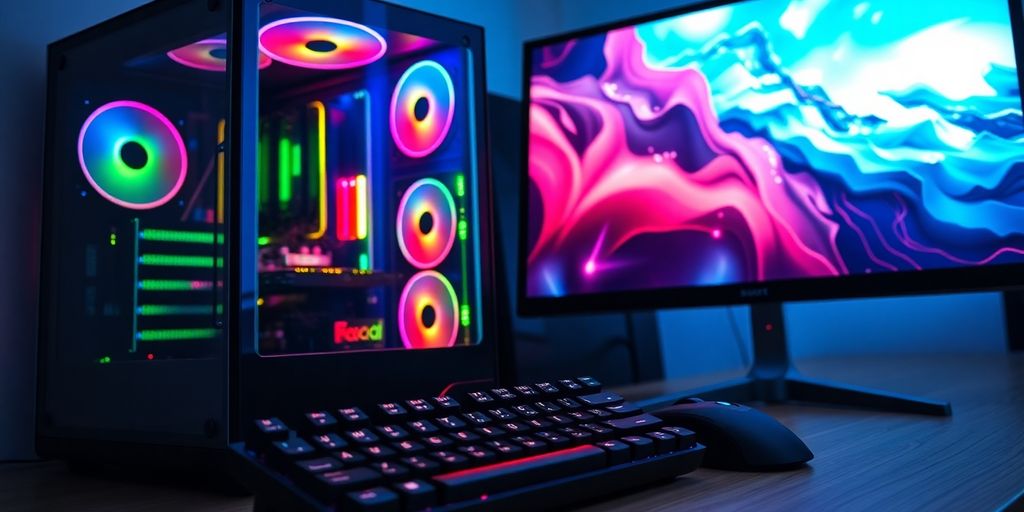
Sure, buying a gaming PC can be pretty overwhelming. There are so many parts and numbers, it’s easy to lose track. But don’t panic, we’ll help you! Here are a few important things to look out for so you can find the perfect computer for your gaming needs.
Graphics Card: The Heart of Your Gaming Experience
The graphics card is probably the most important part of your gaming PC. It is responsible for how good your games look and how smoothly they run. Make sure the graphics card has enough power to display your favorite games in the desired resolution and with the desired details. It’s best to check the system requirements of the games you want to play beforehand. The right graphics card is crucial for your gaming experience.
Processor and RAM: The Unsung Heroes
Even though the graphics card is in the spotlight, the processor and RAM are just as important. The processor, also called CPU, takes care of all the calculations in the background, while the RAM ensures that enough data is quickly available.
- A fast processor prevents jerks and ensures smooth transitions.
- Enough RAM (at least 16 GB, better 32 GB) prevents your PC from stalling when you have several programs open at the same time.
- Pay attention to current models from Intel or AMD to be future-proof.
Remember: CPU and RAM work hand in hand. A strong processor is useless if the RAM is too small, and vice versa.
Storage Space: SSD or HDD – What Do You Really Need?
Nowadays, an SSD (Solid State Drive) should actually be standard. They are much faster than conventional HDDs (Hard Disk Drives) and ensure that your operating system and games start up in a flash. But you also need enough storage space for your game library.
- A small SSD (256 GB or 500 GB) for Windows and the most important games.
- A larger HDD (1 TB or 2 TB) for all other data.
- Or directly a large SSD (1 TB or more) if you can afford it.
Connections and Upgradeability: Future Security Included
Don’t forget to pay attention to the connections! Enough USB ports, a current DisplayPort or HDMI connection and maybe even a USB-C connection are important. And also think about the future: Can you upgrade the PC later? Are there enough slots for RAM and graphics cards? This is especially important if you plan to use your PC for a longer period of time. Pay attention to the upgradeability to remain flexible in the long term.
Gaming PCs For Every Budget
Sure, not everyone has the same budget when it comes to gaming PCs. But don’t worry, there’s a suitable machine for every budget. Whether you’re just starting out or an experienced gamer, here you’ll find information to help you find the perfect PC without breaking the bank.
Entry-Level Gaming PCs: Gaming Without Bankruptcy
You want to get into gaming, but your budget is limited? No problem! Entry-level gaming PCs are great for taking the first steps in the world of gaming. These PCs are ideal for games like Fortnite or League of Legends that don’t require high-end graphics. You can usually get them for 500 to 800 euros. Sure, you may have to compromise on the graphics settings, but hey, the main thing is that you can play!
Mid-Range Gaming PCs: The Sweet Spot For Many
If you want a little more power without spending a fortune, then mid-range gaming PCs are just the thing for you. With these computers, you can enjoy current games in Full HD or even WQHD. Expect a budget of 800 to 1500 euros. Here you get a good balance between price and performance. You can find gaming PCs under 1000 euros that already have a lot to offer.
High-End Gaming PCs: When Money Doesn’t Matter
You want the absolute maximum? Then you need a high-end gaming PC. Here, there are no limits to your imagination (and your wallet). These monster machines are designed for 4K gaming, VR and all current AAA titles on the highest settings. But be careful: you can quickly pay 2000 euros or more. But you also get the ultimate gaming experience.
Remember that your gaming behavior determines your budget. Are you more of a casual gamer, a beginner, an enthusiast or a professional? This influences how much you should spend.
How We Tested
Our Test Criteria in Detail
Okay, let’s talk about how we put these gaming PCs through their paces. We didn’t just rely on the technical data, but also looked at how the computers perform in real life. This means we took a close look at every detail, from the performance of the graphics card to the volume of the fans. We wanted to make sure you know exactly what you’re getting for your money. We also looked at the best Nvidia graphics cards to ensure that our testing methods are up to date.
Benchmark Values and Practical Tests: The Mix Makes the Difference
Of course, we ran benchmarks to measure the raw performance. But that’s only half the battle! We also tortured the PCs with current games in different resolutions (Full HD, WQHD, 4K). This allowed us to see how smooth the gaming experience really is. And hey, we also looked at how well the boxes perform when streaming or video editing. After all, it’s about more than just gaming, right?
Price-Performance Ratio: The Be-All and End-All of Our Rating
Sure, a high-end PC with the latest hardware is awesome. But what if it’s twice as expensive as a model that performs almost as well? Exactly! That’s why the price-performance ratio is super important to us. We want to help you find the best gaming PC for your budget. We compare the performance with the price and give you an honest assessment of whether the investment is worth it.
We didn’t just rely on numbers and facts, but also on our gut feeling. A gaming PC has to be fun, it has to feel good and it has to be reliable. That’s why we tested and evaluated every PC extensively to give you the best possible recommendation.
We took the following points into account:
- How easy is the setup?
- How good is the cooling?
- How loud is the PC under load?
- How future-proof is the hardware?
The Best Gaming PCs For Different Resolutions
Sure, gaming is about more than just resolution, but it’s a super important factor! Depending on whether you want to play in Full HD, WQHD or even 4K, you need different hardware power. Let’s take a look at which PCs are best suited for which resolution.
Full HD Gaming: Smooth Gaming Without Compromises
Full HD (1920×1080) is still a super popular resolution because it doesn’t consume so much power. Here you can have real fun even with somewhat older or cheaper PCs. Many e-sports titles and older games run buttery smooth here, even if you don’t have the very latest equipment.
- Good graphics cards: NVIDIA GeForce RTX 3050, AMD Radeon RX 6600
- Recommended RAM: 16 GB
- Processor: Intel Core i5 or AMD Ryzen 5
WQHD Gaming: The Step into the Next Dimension
WQHD (2560×1440) is the sweet spot for many gamers. It looks much sharper than Full HD, but doesn’t need as much power as 4K.
For WQHD you need a slightly stronger graphics card, but you will be rewarded with a much more detailed picture. Many current games simply look fantastic in WQHD.
- Good graphics cards: NVIDIA GeForce RTX 3060 Ti or RTX 3070, AMD Radeon RX 6700 XT or RX 6800
- Recommended RAM: 16 GB or 32 GB
- Processor: Intel Core i5 or i7, AMD Ryzen 5 or 7
4K Gaming: The Ultimate Visual Experience
4K (3840×2160) is the ultimate when it comes to graphics. Here you see every detail, every texture, simply everything in razor-sharp quality. But be careful: 4K gaming is extremely demanding and needs a really thick gaming PC.
| Component | Recommendation |
|---|---|
| Graphics card | NVIDIA GeForce RTX 3080 or better, AMD Radeon RX 6900 XT or better |
| RAM | 32 GB |
| Processor | Intel Core i7 or i9, AMD Ryzen 7 or 9 |
To really have fun in 4K, you not only need a high-end graphics card, but also enough RAM and a fast processor. And don’t forget a 4K monitor, otherwise all the effort is useless!
Tips For Your Optimal Gaming Setup
Sure, the best gaming PC is useless if the rest isn’t right. Here are a few tips to make your gaming setup really rock!
The Right Monitor: More Than Just a Screen
Your monitor is your window to the gaming world. Don’t forget that it’s about more than just the size. Pay attention to:
- Resolution: Full HD is okay for starters, but WQHD or 4K are awesome if your PC can handle it.
- Refresh rate: 144 Hz or more are ideal for smooth gameplay. Anything below 60 Hz is actually no longer up to date.
- Response time: The shorter, the better. Pay attention to values below 5 ms, ideally even 1 ms. Otherwise there will be streaks!
- Panel technology: IPS panels offer great colors, TN panels are faster, VA panels are a good compromise. Choose what’s important to you.
Remember: The best monitor is useless if your graphics card can’t power it. Check the specs!
Peripherals: Mouse, Keyboard and Headset For Professionals
Your input devices are your connection to the game. You shouldn’t save money here:
- Mouse: A good gaming mouse fits well in the hand, has precise sensors and programmable buttons. Gaming headset indispensable for communication in the team.
- Keyboard: Mechanical keyboards are the standard for gamers. They offer a better typing feel and faster response times. Pay attention to the switches (Cherry MX, etc.).
- Headset: A good headset delivers clear sound and a good microphone. This way you can hear every step and communicate with your teammates.
Software and Drivers: Everything Must Be Right
Even the best hardware is useless if the software doesn’t run. Here are a few tips:
- Drivers: Always keep your graphics card drivers up to date. Nvidia and AMD regularly release new drivers that improve performance.
- Operating system: Windows is the standard for gaming. Make sure you have the latest version.
- Overlays: Programs like Discord or Steam can display overlays in the game. This can be practical, but also cost performance. Turn them off if you have problems.
- Game settings: Optimize the graphics settings in your games. Not everything has to be on
Conclusion: Your perfect gaming PC is waiting!
So, now you have a good overview, right? In the end, it really depends on what you want to play and how much money you want to spend. There is no one best gaming PC for everyone. Remember: If you want to play the latest games in super graphics, you have to dig deeper into your pocket. But even with a smaller budget you can find something good to have fun with. Take another look at our recommendations and think about what is most important to you. The main thing is that you enjoy your new computer in the end!
Frequently Asked Questions
Which gaming PC is the best for me?
The Medion Erazer Hunter X30 is our top pick because it has a great graphics card, enough space for all your games and you can easily improve it later. It’s simply a great overall package for your money.
What do I need to consider when buying a gaming PC?
The graphics card is very important, because it determines how good your games look and how smoothly they run. But the processor and RAM are also important so that everything works quickly. Also think about enough storage space and see if you can upgrade the PC later.
How much money should I spend on a gaming PC?
That depends on what you want to play! A cheap PC is enough for simple games. If you want to play the latest games in the best quality, you need a more expensive model. Think about which games are important to you and how much money you want to spend.
Can I upgrade my gaming PC later?
Sure! Many gaming PCs are built so that you can later install a better graphics card or add more RAM, for example. This way your PC stays fit for new games for longer.
Why should I buy a gaming PC instead of a console?
A gaming PC is great if you want to play the latest games in the best quality and it is important to you that everything runs smoothly. Consoles are easier to use and often cheaper, but they don’t offer the same performance and flexibility as a PC.
How did you test the gaming PCs?
We took a close look at many PCs and measured their performance. We also checked how good they are in everyday life and how much you get for your money. This is how we find out the best PCs for you.


