

Imagine being able to play your favorite games just like that, no matter where you are. With Xbox Cloud Gaming, that becomes a reality. No more waiting for downloads, no more expensive hardware you constantly have to upgrade. You simply grab your device, start the game, and get going. Sounds too good to be true? But that’s exactly what Xbox Cloud Gaming offers you.
Key Insights
- With Xbox Cloud Gaming, you can play hundreds of games on almost any device you own – be it your phone, tablet, PC, or even your smart TV.
- You don’t need expensive equipment. A good internet connection and a compatible device are enough to get started.
- Game Pass Ultimate opens the door to a huge game library, including new titles directly at release and online multiplayer.
- You can not only stream games from Game Pass but also selected titles you have already purchased.
- In addition to games, you benefit from other advantages such as EA Play and exclusive in-game content when you use Game Pass Ultimate.
What Is Xbox Cloud Gaming?
Imagine being able to play your favorite games, no matter where you are or what device you have at hand. That’s exactly what Xbox Cloud Gaming makes possible. It’s basically like having your Xbox console with you all the time, but without the console itself. You stream the games directly to your phone, tablet, PC, or even some smart TVs. The whole thing works over the internet, so you just need a good connection and the fun can begin.
Play Hundreds of Games On Your Devices
With Xbox Cloud Gaming, you have access to a huge library of games. This is really practical, because you don’t have to constantly buy new games or install them on your hard drive. Whether you’re on a train or at a friend’s house, as long as you have internet, you can just start playing. This is a great thing if you travel a lot or just want to play on a different screen. There are games for every taste, from action to adventure to sports.
Free Games With A Microsoft Account
The cool thing is that you don’t even necessarily need a subscription to get started. With a free Microsoft account, you can already play some games for free, such as Fortnite. This is a great way to try it out and see how well the streaming works. So you can get a taste without a big commitment and maybe discover a new favorite game.
Game Pass Ultimate For Even More Choice
But if you really want the full package, then Xbox Game Pass Ultimate is your thing. With it, you not only get access to many more games but also to brand new titles directly at release. Imagine being able to play the latest Xbox hits immediately, without having to wait. That’s quite an advantage, especially if you always want to be up to date. The selection is huge and it’s really worth checking out if you’re serious about gaming. It’s a great way to experience the variety of Xbox games.
Enjoy Your Games Anywhere
Play on Tablets and Smartphones
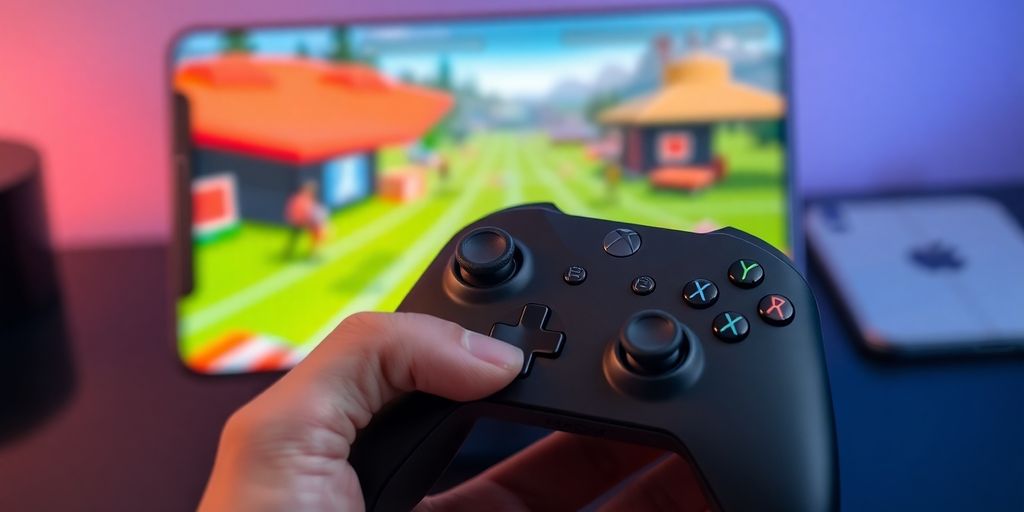
Imagine you’re on the go and suddenly feel like a round of Forza Horizon 5. No problem! With Xbox Cloud Gaming, you can play your favorite games directly on your tablet or smartphone. You just need the Xbox Game Pass App and a stable internet connection. So you always have your game library with you, whether you’re on the bus or waiting for the train. Control works either via the touchscreen, if the game supports it, or you simply connect a controller. This is really practical if you’re not at your console or PC.
Also on PC and Smart TVs
But this is not only possible on the go. You can also stay flexible at home. Is your PC currently occupied by someone else? No big deal! You can simply stream the games via the Xbox App on your PC. Or even better: If you have a compatible smart TV, you can even play the games directly on it, without a console. Imagine starting a game directly on the big screen in the living room. That’s really a cool thing to enjoy your game library on more devices. There’s also the option to play games via the browser at xbox.com, which further increases flexibility.
VR Headsets Open New Worlds
But that’s not all. For the truly adventurous, there’s even the option to play with selected VR headsets. Imagine immersing yourself in the world of Microsoft Flight Simulator and feeling like you’re really in the cockpit. That’s a whole new level of immersion. While the selection of VR-compatible games isn’t huge yet, it shows where things are headed. Technology is constantly evolving, and who knows what else is coming. It’s definitely exciting to try out these new possibilities and see how gaming changes.
The Benefits Of Game Pass Ultimate
Game Pass Ultimate is really awesome if you want to get the most out of your Xbox experience. Imagine: You can play hundreds of games, and the best part is that many of them are available directly at release. No more waiting, you’re right in the middle of the action immediately. That’s pretty cool, right?
Games Directly At Release
This means that when a new, highly anticipated game comes out, you don’t have to wait for it to potentially land in Game Pass later. You’re one of the first to play it, often on the same day it officially releases. This not only saves you money but also the impatience when everyone else is already talking about the new game.
Online Multiplayer For Everyone
With Game Pass Ultimate, online console multiplayer is included for all games. So you can play with your friends, whether you’re on the same console or connected via the internet. This is super practical because you no longer need a separate Xbox Live Gold membership. Just log in and get started, the community is waiting.
Additional Benefits Like EA Play
But that’s not all. As an Ultimate member, you also get EA Play, at no additional cost. This means you have access to a whole library of top games from Electronic Arts, such as those from the FIFA, Madden, or Battlefield series. Sometimes there are even early test versions of new games or exclusive in-game rewards. So it’s really worth taking a look at the benefits of EA Play.
Game Pass Ultimate simply packs everything you need to take your gaming experience to the next level. From new games directly at launch to multiplayer fun and a huge selection of EA titles – you’re well covered.
How To Get Started With Xbox Cloud Gaming
Ready to get started? It’s really easier than you think. First, of course, you need a decent internet connection. Remember, the better your Wi-Fi or mobile data connection, the smoother the game will run. At least 10 Mbps is recommended, but for the best experience, 20 Mbps and a 5GHz connection are really top-notch.
Then, of course, you need a device on which you want to play. This can be your PC, a tablet, your smartphone, or even a smart TV. Make sure your device is actually supported. You can find a list of compatible devices online. And don’t forget the controller! Most Bluetooth controllers work, but an official Xbox controller is always a safe bet. Some games can even be played with touch controls if you don’t have a controller handy.
Once you have everything together, simply log in to xbox.com/play with your Microsoft account. If you have Game Pass Ultimate, you can dive right in and stream hundreds of games. If you just want to play Fortnite, a free Microsoft account is enough. And that’s it! No download, no installation, just fun.
- Stable internet connection: At least 10 Mbps, preferably 20 Mbps (5GHz Wi-Fi recommended).
- Supported device: PC, smartphone, tablet, smart TV, or VR headset.
- Compatible controller: Bluetooth or USB controller, or touch control for selected games.
Which Games Are Available?
The Game Pass Catalog
With Xbox Cloud Gaming, you have access to a huge library of games that is constantly growing. Game Pass Ultimate is your key to hundreds of titles that you can stream instantly. Imagine being able to enjoy games like the popular “Gears of War” series or fun titles like “Gang Beasts” directly on your device, without having to download anything. The selection is truly impressive and covers many genres, so there’s something for everyone. It’s worth checking back regularly, as new games are constantly being added.
Stream Your Own Games Too
That’s the cool thing: You’re not just limited to the games in Game Pass. If you own games that are cloud-enabled, you can often stream them too. This means that your already purchased titles are also available on various devices, as long as they support this feature. This is super practical if you’re on the go and still want to play your favorite games without having to install them first. It greatly expands the possibilities, and you can make even better use of your game library.
New Titles Are Constantly Being Added
Boredom? Not with Xbox Cloud Gaming! Microsoft regularly adds new games to the Game Pass catalog. This means you always get fresh content and can often play the latest titles shortly after their release. This is a huge advantage, as it keeps you up to date and ensures you don’t miss any important releases. The selection changes, but that also provides variety and keeps the offering exciting.
Accessories For The Ultimate Gaming Experience
To make your gaming experience with Xbox Cloud Gaming really smooth, there are a few cool gadgets you should check out. Sure, you can just get started, but with the right accessories, it’s twice as much fun.
Official Xbox Controllers
If you’ve ever held an Xbox controller, you know how good those things feel in your hand. The official controllers are simply top-notch in terms of ergonomics and response time. They come in all sorts of colors, so there’s definitely something for your taste. A good controller is half the battle for a great gaming experience.
Alternative Controllers With Extras
But there are also controllers from other manufacturers that come with some cool extras. Think of additional buttons on the back that you can freely assign, or adjustable triggers for even more precise inputs. Some even have built-in fans so your smartphone doesn’t overheat while gaming. That’s really practical if you play for longer periods.
Mobile Clips For Your Smartphone
If you primarily game on your phone, a phone clip is worth its weight in gold. It lets you attach your smartphone to the controller, and suddenly you have a mobile console. This is much more comfortable than trying to hold the phone somehow. There are different models, some are adjustable and adapt to your phone. This way, you can really enjoy your games on the go, for example with the Backbone One – Xbox® Edition, which was specially developed for your iPhone or Android device. This is a really practical solution to get the most out of your mobile gaming experience.
Play Together With Friends
Connect With The Xbox Community
With Xbox Cloud Gaming, you’re not alone! You can easily connect with millions of players worldwide and game together. Whether you want to explore epic worlds, dive into fast-paced competitions, or just chill out, the Xbox community has something for everyone. It’s super easy to find your friends and play with them, even if they’re somewhere else entirely. Imagine starting a game and your buddy is already in – you can jump right in without waiting for downloads or installations. That’s the charm of cloud gaming!
Cross-Device Gaming
The cool thing about cloud gaming is that it hardly matters where you are or what device you have at hand. You can start on your PC, continue on your tablet, and finish up on your smart TV on the couch in the evening. Your game progress is always synchronized, so you can seamlessly switch from one device to the next. This means you won’t miss a moment of the shared adventure with your friends. So if your friend is playing on their phone while you’re on your PC, that’s no problem at all. You’re simply in the same game, on different devices.
Online Multiplayer Is Included
If you have Game Pass Ultimate, online multiplayer for consoles is already included. This means you can immediately jump into online mode with your friends, without additional costs or complicated setups. Whether you’re exploring a huge open world together or competing in fast-paced multiplayer matches, the connection is there. This makes it so easy to spontaneously join games with people and have fun together. It’s really a big advantage when you consider how much fun multiplayer games are when played with friends. There are also many role-playing games that are great for shared adventures, such as Baldur’s Gate 3.
The ability to play instantly with friends, no matter the device, makes Xbox Cloud Gaming a true revolution for co-op gaming. It breaks down barriers and brings people together who might not otherwise have the opportunity to play together.
Conclusion: Your Game, Your Place
So, what do we learn from this? Xbox Cloud Gaming is really practical if you just want to game somewhere without much hassle. Whether on your phone, tablet, or even your TV – as long as you have good internet, you can get started. Sure, it’s not always perfect, sometimes it might stutter a bit, but hey, the freedom to take your games with you is pretty cool. Just give it a try, maybe you’ll discover a new way to play that you really like.
Frequently Asked Questions
What exactly is Xbox Cloud Gaming?
Imagine being able to play your favorite games simply on your phone, tablet, or even your TV, without having to buy an expensive console. That’s exactly what Xbox Cloud Gaming makes possible! You stream the games directly from the internet, similar to how you watch movies on Netflix. With a Game Pass Ultimate membership, you have access to hundreds of games that you can start playing immediately.
How do I get started with cloud gaming?
It’s super easy! You need a good internet connection, a supported device like your smartphone, tablet, PC, or a smart TV, and of course, an Xbox Game Pass Ultimate subscription. Then you download the Xbox App or go to the website, and you’re ready to go. You usually need a compatible controller, but some games can even be played with touch controls.
Which games can I play?
There’s a huge selection! With Game Pass Ultimate, you can stream hundreds of games, from new blockbusters to old classics. New games are also constantly being added. The cool thing is that many games that are new to Xbox also land directly in Game Pass. You can even stream selected games you already own, even if they’re not in Game Pass.
What kind of internet connection do I need?
For the best experience, you need a stable internet connection, preferably with at least 10 Mbps download speed. The faster your internet, the better the picture and sound quality. A Wi-Fi connection is usually better than mobile data, especially if you can use a 5-GHz connection.
Can I also play with my friends?
Yes, of course! You can play with your friends, no matter what device they are currently playing on. Whether on an Xbox console, PC, or their phone – as long as they also use Cloud Gaming, you can connect and experience adventures together. Online multiplayer is even included in the Game Pass Ultimate membership.
What are the benefits of Game Pass Ultimate?
Absolutely! In addition to the many games you can stream directly, Game Pass Ultimate offers even more. You get access to online multiplayer for console games, can often play games on the day of their release, and also have benefits like access to EA Play, where even more games await you. Plus, there are often exclusive offers and in-game content.


